Falcon X Micro ARMT
Description
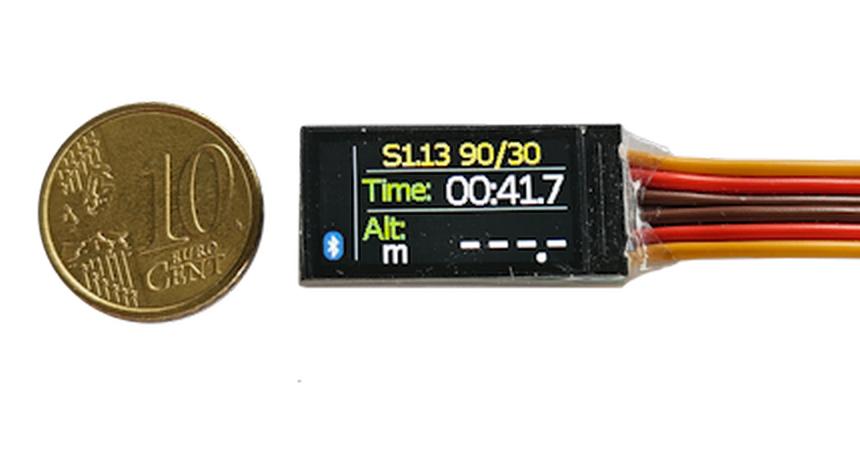
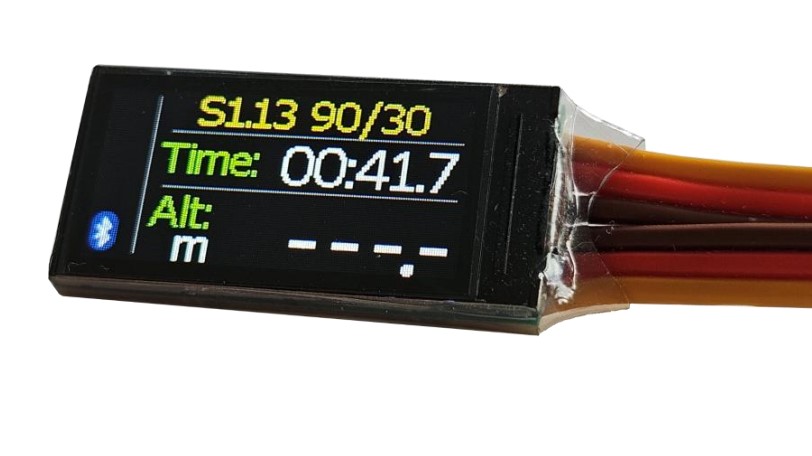
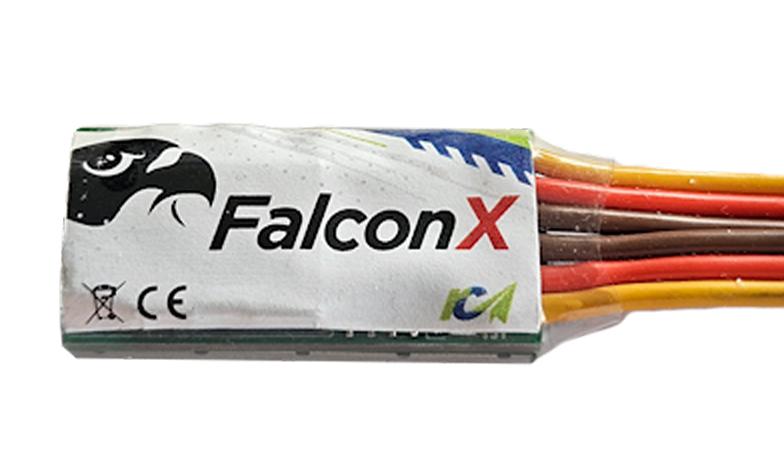
The RC Electronics FalconX is a compact, lightweight Altimeter/Motor Run Timer (AMRT) with an integrated colour TFT display, designed for use in FAI F5J, F5L and F5K competitions.In F5J mode, the module automatically cuts motor power after 30 seconds, unless the motor has already been switched off manually, and records the F5J Start Height.In F5L mode, the module cuts motor power when either the preset altitude or motor run-time limit is reached. This is also suitable for most F5K events.The FalconX incorporates a high-resolution barometric pressure sensor, a highly accurate three-axis accelerometer and solid-state memory to record flight data for subsequent analysis. Key competition parameters are displayed on the integrated colour TFT screen, while Bluetooth Low Energy (BLE) connectivity allows communication with Android and iOS devices.Versions
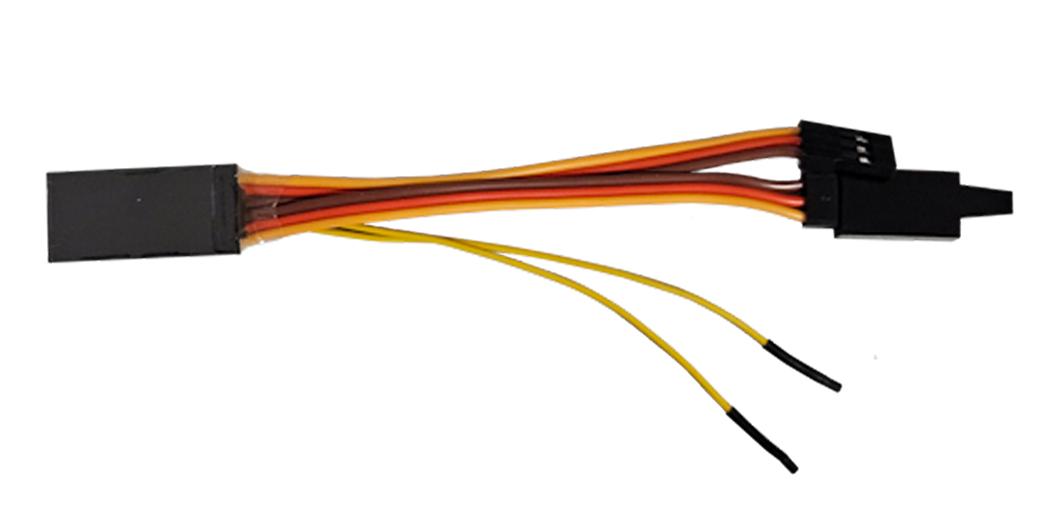
Two versions are available. The F5L version includes two external yellow wires for connecting an optional reset switch (not supplied). This allows the module to be reset after a non-scoring flight, which is particularly useful in F5L competitions. The normal version omits these wires. Either version can be used in both events.Key features
The FalconX uses a high-resolution barometric pressure sensor to measure small changes in atmospheric pressure caused by changes in altitude. The sensor is sufficiently sensitive to detect altitude changes of less than 10 cm.Because atmospheric pressure is also influenced by weather conditions, altitude readings may vary over longer periods. The FalconX is therefore optimised for measuring short-term, relative altitude changes during radio-controlled aircraft flights rather than long-term absolute altitude measurements.The integrated colour TFT display provides convenient access to key flight and competition parameters without requiring an external display.Powering the module
To power the FalconX, connect its three-pin male servo connector to the throttle channel of the aircraft's receiver. Then connect the ESC or servo to the module's female servo pass-through connector.Always ensure that the connectors are correctly oriented and that the polarity is correct before applying power.Mounting the module
The recommended mounting location is inside the aircraft's fuselage, where the FalconX can be secured using double-sided tape, cable ties or hook-and-loop fastener.For accurate altitude measurement, the pressure inside the fuselage must be able to equalise with the outside atmospheric pressure. If the fuselage is airtight, provide a ventilation opening of at least 0.5 cm². Many model aircraft fuselages are already sufficiently ventilated and require no modification.Ensure that the module cannot come into contact with metal surfaces or other conductive materials, as these could short-circuit exposed electrical contacts and potentially cause radio-system failure.Do not mount the module directly on top of propulsion batteries in electric aircraft. Heat generated by the battery may affect altitude measurements, potentially introducing errors of up to 30 m.Keep the FalconX away from water, fuel and other liquids.After installation, check all electrical connections and perform a full radio range check before flying. Confirm that the module operates correctly and does not interfere with the aircraft's radio system.Operation
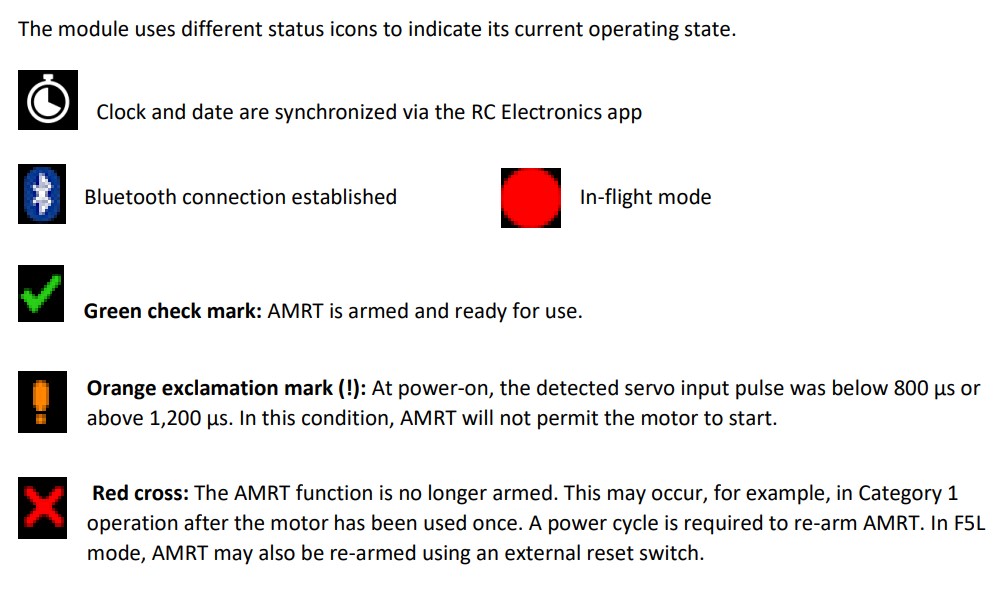
Each time the FalconX is powered on, it automatically sets the current altitude to zero and begins collecting data in a circular buffer.Take-off is detected when the throttle-channel pulse width exceeds 1,200 µs. At this point, the buffered data is saved to flash memory, and the module continues recording information from its onboard sensors and any connected modules throughout the flight.While flight recording is active, a recording icon appears on the TFT display and Bluetooth Low Energy (BLE) communication is automatically disabled.When landing is detected, the module stops recording and the recording icon disappears from the display and the start height and flight time are displayed.Recorded flight data can subsequently be uploaded to a phone or uploaded to rcmodelspot.com for viewing and analysis.Note that no telemetry interface is included.
Two versions are available. The F5L version includes two external yellow wires for connecting an optional reset switch (not supplied). This allows the module to be reset after a non-scoring flight, which is particularly useful in F5L competitions. The normal version omits these wires. Either version can be used in both events.Key features
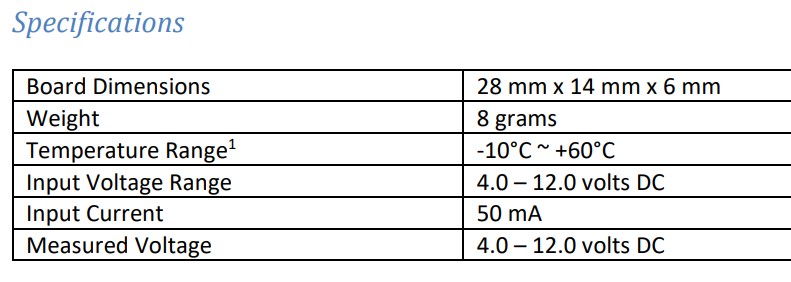
- Lightweight at just 8 g, including JR cables.
- Compact dimensions: 28 × 14 × 6 mm.
- Integrated FAI F5J and F5L altitude and motor run-time limiting functionality.
- Also suitable for eF3K and ALES, with user-configurable motor restart settings, motor cut-off altitude and motor run time.
- Integrated sunlight-readable colour TFT display.
- Automatic, accurate flight-time recording for F5J, F5L, eF3K and ALES flying.
- Records flight data for subsequent analysis on www.rcmodelspot.com
- Wide operating voltage range: 4–12 V DC, normally powered directly from the aircraft's receiver system.
The FalconX uses a high-resolution barometric pressure sensor to measure small changes in atmospheric pressure caused by changes in altitude. The sensor is sufficiently sensitive to detect altitude changes of less than 10 cm.Because atmospheric pressure is also influenced by weather conditions, altitude readings may vary over longer periods. The FalconX is therefore optimised for measuring short-term, relative altitude changes during radio-controlled aircraft flights rather than long-term absolute altitude measurements.The integrated colour TFT display provides convenient access to key flight and competition parameters without requiring an external display.Powering the module
To power the FalconX, connect its three-pin male servo connector to the throttle channel of the aircraft's receiver. Then connect the ESC or servo to the module's female servo pass-through connector.Always ensure that the connectors are correctly oriented and that the polarity is correct before applying power.Mounting the module
The recommended mounting location is inside the aircraft's fuselage, where the FalconX can be secured using double-sided tape, cable ties or hook-and-loop fastener.For accurate altitude measurement, the pressure inside the fuselage must be able to equalise with the outside atmospheric pressure. If the fuselage is airtight, provide a ventilation opening of at least 0.5 cm². Many model aircraft fuselages are already sufficiently ventilated and require no modification.Ensure that the module cannot come into contact with metal surfaces or other conductive materials, as these could short-circuit exposed electrical contacts and potentially cause radio-system failure.Do not mount the module directly on top of propulsion batteries in electric aircraft. Heat generated by the battery may affect altitude measurements, potentially introducing errors of up to 30 m.Keep the FalconX away from water, fuel and other liquids.After installation, check all electrical connections and perform a full radio range check before flying. Confirm that the module operates correctly and does not interfere with the aircraft's radio system.Operation
Each time the FalconX is powered on, it automatically sets the current altitude to zero and begins collecting data in a circular buffer.Take-off is detected when the throttle-channel pulse width exceeds 1,200 µs. At this point, the buffered data is saved to flash memory, and the module continues recording information from its onboard sensors and any connected modules throughout the flight.While flight recording is active, a recording icon appears on the TFT display and Bluetooth Low Energy (BLE) communication is automatically disabled.When landing is detected, the module stops recording and the recording icon disappears from the display and the start height and flight time are displayed.Recorded flight data can subsequently be uploaded to a phone or uploaded to rcmodelspot.com for viewing and analysis.Note that no telemetry interface is included.
Reviews 0
Manuals & Downloads
Related Categories
Related Products